

Three big names, Lenovo LOQ, ASUS TUF, and HP Omen, have all launched RTX 5050 laptops in India over the past few months, and every one of them lands somewhere between roughly ₹1.25 lakh and ₹1.65 lakh depending on configuration. If you have been searching for actual FPS numbers instead of marketing slides, you have probably noticed there is not much written coverage of this specific GPU in an Indian context yet. This guide fixes that.

We are going to cover what the RTX 5050 laptop GPU actually is under the hood, what kind of frame rates it delivers in games people in India actually play, an honest answer to the BGMI question (it is not what most listicles tell you), and whether paying extra for an RTX 5060 laptop still makes sense given how laptop pricing has moved in 2026.
The RTX 5050 laptop GPU is a genuinely strong 1080p gaming option in 2026, especially for esports titles and mid-to-high settings AAA gaming. Its clearest weakness is native ray tracing, where it needs DLSS Frame Generation to stay smooth. Laptop TGP, cooling, and CPU pairing affect real performance more than the GPU name alone. At current Indian prices, an RTX 5060 laptop is only worth the extra cost when the price gap stays close to ₹20,000 to ₹30,000, not the inflated ₹60,000-plus gaps showing up on some configurations right now.
Table of Contents
What Is the RTX 5050 Laptop GPU?
The GeForce RTX 5050 laptop GPU is Nvidia's entry point into the Blackwell generation for gaming notebooks. It carries 2,560 CUDA cores, 8GB of GDDR7 memory on a 128-bit bus, and a maximum TGP of 115W once you count the 15W of Dynamic Boost. That last number matters more than most buyers realise, because the exact same "RTX 5050" badge can sit inside a laptop configured anywhere from 50W to 115W, and the gap in real gaming performance between those two extremes is enormous.
For context, the previous-generation RTX 4050 laptop GPU also had 2,560 CUDA cores, so on paper this looks like a lateral move. What actually changed is the memory: 2GB more VRAM (up from 6GB), a wider memory bus, and a shift from GDDR6 to faster GDDR7. That combination eases the texture and ray tracing bottlenecks that used to force RTX 4050 laptops down to medium settings at 1080p, even in games that were not otherwise demanding.

Compared with the step-up, the RTX 5060 laptop GPU, the RTX 5050 gives up 768 CUDA cores (3,328 versus 2,560, a 30% difference) while keeping the same 8GB GDDR7 memory and the same 115W maximum TGP. That translates to the RTX 5060 running roughly 21 to 22% faster on average once both cards are configured at their full 115W power budget. The gap ranges from about 18% in ray-traced workloads to over 40% in older DirectX-based tests, so the real-world difference depends heavily on which game you are running.
RTX 5050 vs RTX 5060 Laptop: Spec Comparison
| Spec | RTX 5050 Laptop | RTX 5060 Laptop |
|---|---|---|
| CUDA cores | 2,560 | 3,328 |
| Memory | 8GB GDDR7, 128-bit bus | 8GB GDDR7, 128-bit bus |
| Max TGP | 115W (100W + 15W Dynamic Boost) | 115W (100W + 15W Dynamic Boost) |
| 1080p esports gaming | Excellent | Excellent |
| 1080p AAA gaming | Very good, Frame Gen recommended for RT | Very good, more RT headroom |
| 1440p gaming | Limited, VRAM and core count show their age | Noticeably more comfortable |
| Real-world performance gap | Baseline | ~18 to 22% faster on average |
RTX 5050 Laptop Gaming Performance: Real FPS Numbers at 1080p
Here is where most listicles stop at "great for 1080p gaming" and move on. That is not useful if you are trying to decide whether to spend ₹1.4 lakh on one of these. The table below compiles figures from a dedicated Lenovo LOQ RTX 5050 review, Notebookcheck's GPU database, and real owner-reported results from an ASUS TUF A16 (115W GDDR7 configuration) posted on a public GPU benchmark forum. All numbers assume 1080p and a laptop running close to the full 100 to 115W power envelope. A 50W thin-and-light configuration will land noticeably lower across the board.
| Game | Settings (1080p) | Typical FPS |
|---|---|---|
| Valorant | High, competitive settings | 350 to 400 FPS |
| Counter-Strike 2 | Very High | ~150 FPS |
| GTA V Enhanced | Max settings, ray tracing on | ~60 FPS |
| Elden Ring | Max, ray tracing on | Locked 60 FPS (minor 1% low dips) |
| Red Dead Redemption 2 | Max, DLSS Quality | 75 to 80 FPS |
| Indiana Jones and the Great Circle | Mixed Medium/High, DLSS 4 + Frame Gen | ~62 FPS average |
| Cyberpunk 2077 | Ultra, DLSS off, no ray tracing | 70 to 75 FPS |
| Cyberpunk 2077 | Ultra + Ray Tracing, Frame Gen on | 65 to 85 FPS (25 to 30 FPS without Frame Gen) |
A few things stand out once you look past the headline numbers. Esports titles are effectively a non-issue: Valorant and CS2 sit far above what any 144Hz or 165Hz panel can display, so the limiting factor becomes your CPU and internet connection, not the GPU. This is also where Jio and Airtel ping spikes hurt competitive play more than raw FPS does, something worth keeping in mind if lag has been your bigger complaint than frame rate.
AAA titles tell a more nuanced story. Native, no-frills 1080p Ultra performance in a demanding game like Cyberpunk 2077 lands around 70 to 75 FPS, which is genuinely good for a laptop in this price bracket.
Ray Tracing: Where the RTX 5050 Struggles
Turn on ray tracing without DLSS Frame Generation, and Cyberpunk 2077 drops hard to 25 to 30 FPS, a reminder that the RTX 5050's 8GB frame buffer and 2,560 cores were never built to run heavy ray tracing natively. Frame Generation recovers most of that lost ground, but it comes with the usual caveat: input latency increases slightly, so competitive shooters are not where you want Frame Gen switched on. If ray-traced visuals matter more to you than raw frame count, this is the single biggest reason to consider stepping up to an RTX 5060 laptop instead.

One honest caveat before you take any of this as gospel: a laptop's cooling and CPU pairing can shift these numbers by 10 to 15% in either direction. One published review of an HP Victus with the RTX 5050 found that a weaker paired processor actually made an older RTX 4050 laptop beat it in Counter-Strike 2, purely because the CPU could not keep up. The GPU model on the spec sheet is only half the story, and if a laptop starts strong but fades after 20 to 30 minutes of continuous play, that is almost always a thermal throttling issue rather than a weak GPU.
Can You Actually Play BGMI on an RTX 5050 Laptop?
Warning!
BGMI (Battlegrounds Mobile India) is an Android and iOS exclusive. There is no native Windows version, so an RTX 5050 laptop cannot run it directly the way it runs Valorant or GTA V.

This is worth spelling out clearly because a lot of search results around "RTX 5050 BGMI performance" quietly skip past it. To play BGMI on a Windows laptop at all, you need an Android emulator such as GameLoop, BlueStacks, or LDPlayer running on top of Windows. The emulator translates Android instructions into something your laptop's CPU and GPU can execute, and that translation layer, not the RTX 5050 itself, is almost always the real bottleneck.
So What FPS Can You Expect from BGMI on an RTX 5050 Laptop?
In practical terms, this means an RTX 5050 laptop is enormous overkill for BGMI specifically. The game's own in-app frame rate options top out well below what this GPU is capable of rendering, so you will hit BGMI's built-in cap long before the RTX 5050 breaks a sweat. The actual variables that decide whether BGMI feels smooth on an emulator are CPU single-thread performance, how well the specific emulator build handles your laptop's chipset, and your internet connection, not GPU horsepower. If BGMI on PC is your main use case, you would get a nearly identical experience from a laptop with a weaker RTX 4050 or even RTX 3050, and put the money saved toward a better CPU or a 165Hz panel that actually helps your native PC games.
RTX 5050 vs RTX 5060 Laptop in India: Is the Price Gap Still Worth It?
This is the question everyone weighing an RTX 5050 laptop eventually asks, and the honest answer in September 2026 is more complicated than it used to be. India's ongoing memory shortage, which we have tracked in detail in our RAMageddon coverage, has pushed prices up across every laptop tier, not just the ones with more RAM. That means the gap between RTX 5050 and RTX 5060 configurations right now is not the clean, predictable jump it was a year ago.
Here is what the same brands are actually charging as of mid-September 2026. Prices checked: 13 September 2026. These move often with bank offers, festive sales, and stock levels, so treat them as a snapshot, not a guarantee.
| Laptop | GPU | RAM / Storage | Price in India |
|---|---|---|---|
| ASUS TUF Gaming A16 (2026) | RTX 5050 | 16GB / 1TB SSD | ₹1,68,990 |
| ASUS TUF Gaming A16 (2026) | RTX 5060 | 16GB / 512GB SSD | ₹1,99,990 |
| Lenovo LOQ (i7-14700HX) | RTX 5050 | 16GB / 1TB SSD | ₹1,47,990 |
| Lenovo LOQ (i7-14700HX) | RTX 5060 | 32GB / 1TB SSD | ₹1,74,690 |
| HP Omen 16 (Ryzen AI 7 350) | RTX 5050 | 24GB / 1TB SSD | ₹1,62,996 |
Notice that none of these pairs are perfectly matched on RAM and storage, and that is deliberate honesty rather than sloppy comparison. The ASUS pair is the closest same-model comparison available right now, and even there, the RTX 5060 variant actually ships with less SSD storage (512GB against 1TB) while still costing roughly ₹80,000 more. Some of that gap is GPU premium, and some of it reflects how memory-constrained SKUs are being priced across the board during the shortage.
Earlier in 2026, before the memory crunch fully took hold, a comparable Lenovo LOQ configuration with an RTX 5060 was going for roughly ₹1,23,000. Even allowing some margin for exact configuration differences, the effective RTX 5060 premium has clearly grown well beyond what buyers were paying for the same upgrade just months ago. This is exactly the kind of pricing shift that makes buying guides published even three or four months ago unreliable right now, so treat any RTX 5050 versus RTX 5060 advice you read elsewhere with a healthy dose of scepticism unless it is dated.
Our take: at a roughly ₹20,000 to ₹30,000 gap, the RTX 5060's 20% performance uplift is worth it for anyone playing ray-traced AAA titles regularly. At the ₹40,000 to ₹80,000 gap currently showing up between comparable configurations, it is much harder to justify unless you specifically need the extra headroom for 1440p gaming or heavier creative work. For most people buying primarily for 1080p esports and mid-settings AAA gaming, the RTX 5050 remains the more sensible spend until memory prices normalise.
Lenovo LOQ vs ASUS TUF vs HP Omen: Which RTX 5050 Laptop Should You Buy?
All three brands are shipping genuinely comparable hardware, so the differences come down to CPU pairing, build quality, and what you are willing to trade off.
If you have already settled on one of these three, here is where to check current pricing and stock:
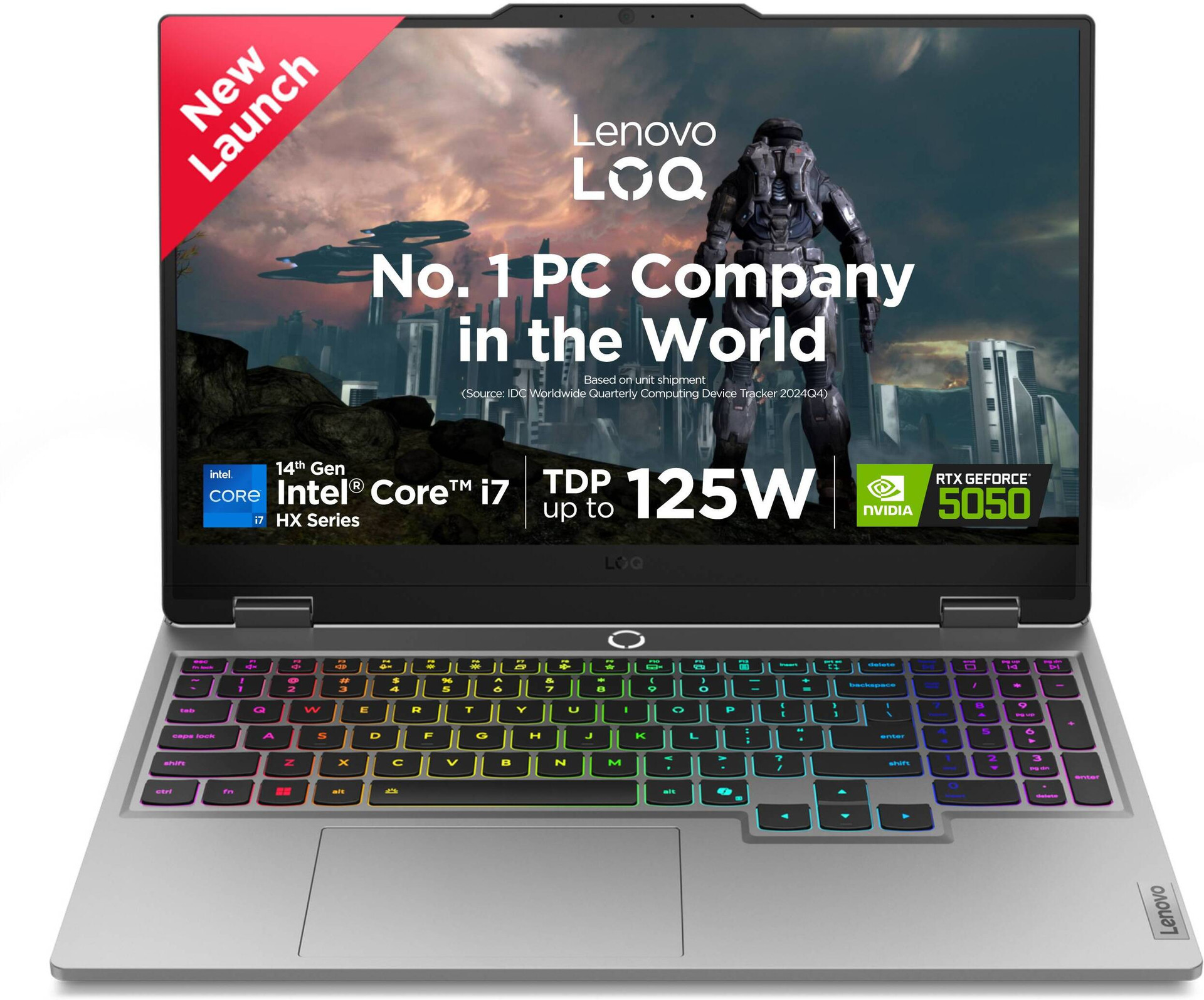
- Strongest CPU option of the three, useful if you also do CPU-heavy work alongside gaming
- Widely available across Indian retailers with frequent bank-offer discounts
- MUX switch support on most configurations for maximum GPU performance
- Currently the most expensive of the three RTX 5050 options at similar RAM and storage
- Price has moved up sharply (around 16% in the last month alone) due to memory costs.
- Plastic-heavy build compared to ASUS TUF's MIL-STD durability rating
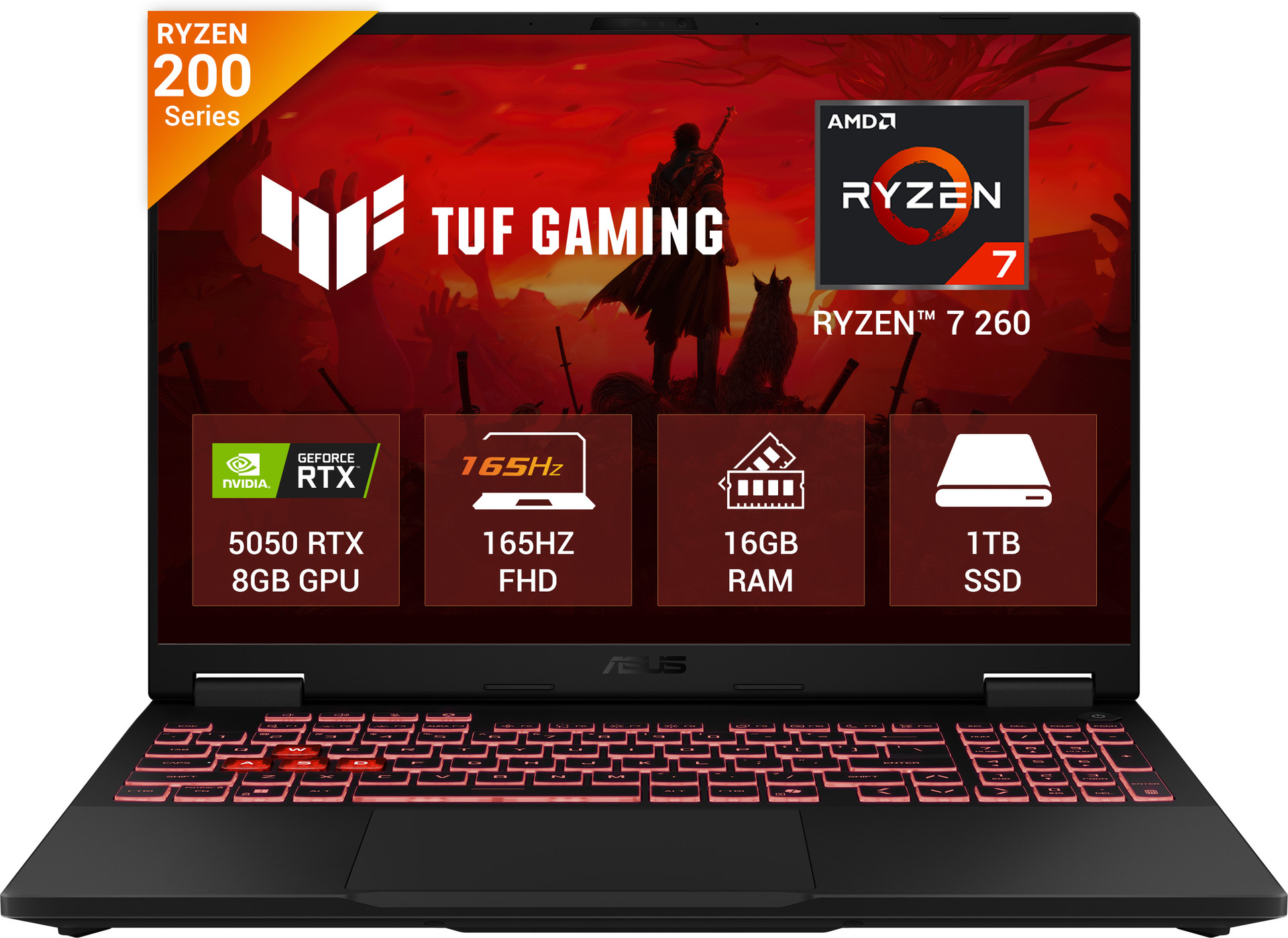
- Best price-to-performance among the three right now at ₹1,39,990
- MIL-STD-810H durability rating, a genuine advantage if you travel with it often
- Ryzen 7 260 handles most games without bottlenecking the RTX 5050
- Confirm the exact display panel before buying, as ASUS sells multiple A16 variants with different refresh rates.
- We have compared the ASUS TUF Gaming 16 against the TUF Gaming A15 in detail if you are also weighing the smaller chassis.s

- 24GB RAM is standard on the RTX 5050 configuration, more than the other two out of the box
- Omen software and thermal design generally rated well against similarly priced Victus and TUF units
- 2K WUXGA display option available on some SKUs, sharper than the 1080p panels common elsewhere in this range
- HP's warranty extension policy has historically been less flexible for third-party marketplace purchases compared to Lenovo and ASUS.
- Priced closer to the Lenovo LOQ than to the ASUS TUF, so shop around before assuming it is the value option.n
Who Should (and Shouldn't) Buy an RTX 5050 Laptop Right Now
- You play mostly esports titles (Valorant, CS2) and want a 144Hz-plus experience with headroom to spare
- Your AAA gaming happens at 1080p, and you are comfortable using DLSS or Frame Generation for ray-traced titles.
- You need a laptop specifically for portability and cannot go the desktop route.e
- Your main use case is emulated BGMI, where an RTX 5050's extra power goes almost entirely to waste
- You want sustained 1440p gaming; the 8GB frame buffer and CUDA core count start showing their limits there.
- You can wait a few months for memory prices to cool off, since the RTX 5060 premium is unusually inflated right now.
- Your budget genuinely caps at ₹1.2 lakh below; our best gaming laptop under ₹60,000 roundup covers RTX 3050 and RTX 4050-class options that are still solid for esports.
It is also worth mentioning that if portability is not actually a requirement, a desktop build using a comparable-tier GPU frequently gets you more raw performance per rupee than any laptop at this price point. Our AMD RX 9060 XT vs RTX 5060 comparison is a useful reference if you are still deciding between a laptop and a desktop build entirely.
Frequently Asked Questions
Is the RTX 5050 laptop GPU good for gaming in 2026?
Yes, for 1080p gaming specifically. It comfortably runs esports titles well above 144Hz and handles most AAA games at Ultra settings around 60 to 75 FPS without ray tracing. It struggles more with native ray tracing, where Frame Generation becomes necessary rather than optional to stay smooth.
Should I buy an RTX 5050 laptop or save for an RTX 5060 model?
It depends on the current price gap where you are shopping. At around ₹20,000 to ₹30,000, the RTX 5060's roughly 20% performance advantage is worth paying for. At the ₹60,000-plus gaps currently showing up between some configurations due to the memory shortage, the RTX 5050 is the more sensible choice for most 1080p gamers.
Can BGMI run well on an RTX 5050 laptop?
BGMI has no native Windows client, so it only runs through an Android emulator like GameLoop or BlueStacks on a laptop. The RTX 5050 is far more GPU than BGMI needs, and performance depends much more on the emulator and your CPU than on the graphics card.
power hasIs 8GB of VRAM enough on an RTX 5050 laptop?
For 1080p gaming, yes, in the vast majority of current titles. The RTX 5050's GDDR7 memory and wider bus compared to its predecessor help it avoid the texture streaming issues that affected some 6GB and 8GB GDDR6 cards. It becomes a tighter fit if you push into 1440p with texture packs on top.
Does the CPU matter as much as the GPU on an RTX 5050 laptop?
More than most buyers expect. Published reviews have shown a weaker paired processor causing an RTX 5050 laptop to underperform an older RTX 4050 model in CPU-sensitive games like Counter-Strike 2. Check the specific processor pairing, not just the GPU name, before buying.
Final Verdict: Is the RTX 5050 Laptop Worth Buying in 2026?
For most 1080p gamers, yes. The RTX 5050 laptop GPU handles esports titles with enormous headroom and runs current AAA games at Ultra settings in the 60 to 75 FPS range without ray tracing, which is a genuinely good result at this price point. Its real weakness is native ray tracing, where it needs DLSS Frame Generation rather than brute force to stay smooth, and it is simply the wrong GPU to buy if BGMI-via-emulator is your main use case.
If you are choosing between the Lenovo LOQ, ASUS TUF, and HP Omen right now, the ASUS TUF Gaming A16 currently offers the strongest value at its price point, while the Lenovo LOQ makes sense if you want the strongest CPU pairing and can absorb the higher cost. The RTX 5060 jump is worth chasing only if you can find it at a genuinely narrow price gap, which is not guaranteed while India's memory shortage continues to distort laptop pricing across the board.
