

Most "best gaming mouse under 2000" content in India comes in two flavours: a YouTube unboxing that tests one mouse in isolation, or an international review site whose testing and pricing don't map to what's actually sold here. Neither gives you a real side-by-side comparison with Indian prices, real sensor names, and honest notes on where each mouse actually falls short.

This guide tries to close that gap. Specs below come from official product pages, brand spec sheets, and retailer listings, cross-checked against each other rather than copied from a single source. Where a brand doesn't officially publish a spec, we state that plainly instead of guessing. Prices reflect what these six mice were listed at on 13 September 2026, checked across each brand's own India store plus Amazon. in and Flipkart where available. This category runs frequent flash sales, so treat these numbers as a starting point rather than a fixed price.
Table of Contents
Quick Verdict
- Best overall: URX Core M1
- Best sensor (wired): Cosmic Byte Kilonova 3389IC Pro
- Best for tinkerers: Kreo Chimera V2 Wireless
- Best cheaper wireless: Cosmic Byte Ignis Tri-Mode
- Best budget wired: Redragon Cobra M711
- Best ultra-budget pick: Kreo Harpy
Quick Comparison: 6 Gaming Mice Under ₹2,000
"Native DPI" below is the sensor's actual hardware ceiling, not the inflated number some listings print on the box (the section further down explains that gap in detail). Prices and specs were checked on 13 September 2026, primarily against each brand's own India store, with Amazon. in and Flipkart cross-checked where the product is listed there.
| Mouse | Connectivity | Sensor | Native DPI | Polling Rate | Weight | Switches | Price (₹) |
|---|---|---|---|---|---|---|---|
| URX Core M1 | 2.4GHz / Bluetooth / Wired | PixArt PAW3311 | 12,000 | Up to 1000Hz* | 54g | Huano optical (~100M clicks) | ~1,999 |
| Cosmic Byte Kilonova 3389IC Pro | Wired | PixArt PMW3389 | 16,000 | 125/250/500/1000Hz | 73g | Huano, hot-swappable | ~1,999 |
| Kreo Chimera V2 Wireless | 2.4GHz / Bluetooth / Wired | PixArt PAW3311 | 12,000 | Up to 1000Hz* | Not officially listed | Huano, hot-swappable | ~1,999–2,199** |
| Cosmic Byte Ignis Tri-Mode | 2.4GHz / Bluetooth / Wired | PixArt PAW3311 | 12,000 | Up to 1000Hz* | 54g | TTC optical (~100M clicks) | ~1,800 |
| Redragon Cobra M711 | Wired | PixArt PMW3325 | 10,000 | 125/250/500/1000Hz | ~100–115g | Omron (~10M clicks) | ~1,260 |
| Kreo Harpy | Wired | Instant A825 | 12,800 (claimed) | 1000Hz | 55g | Not officially specified | ~599 |
Info!
*These three brands advertise "up to 1000Hz" as a single overall spec without publishing a separate figure for each connection mode. As a general rule across this category, Bluetooth mode runs a lower polling rate than 2.4GHz or wired mode on the same mouse, even when the brand doesn't spell that out. Use the 2.4GHz dongle or the wired connection for competitive play, not Bluetooth.
*The Chimera V2's street price sits right at the ₹2,000 line and has been seen listed as low as ~₹1,999 and as high as ~₹2,199 depending on the retailer and whether a sale is running. Check the live price before buying if staying strictly under budget matters to you.
How We Picked These Mice
These six were chosen and ranked against the same handful of criteria, not gut feeling:
- Sensor family and its known tracking reliability at commonly used DPI ranges
- Weight and how it affects handling across different grip styles
- Connectivity options, and whether "wireless" means genuine 2.4GHz rather than Bluetooth-only
- Switch type and published durability rating, where the brand actually discloses one
- Confirmed street price at or near ₹2,000 in India as of 13 September 2026
- Realistic availability through an official store, Amazon .in, or Flipkart
None of these mice were bench-tested in-house; REDRAG doesn't run its own hardware lab yet. The specs and comparisons here come from official brand documentation and cross-checked retailer listings, not first-hand measurements, and that distinction is worth keeping in mind when weighing any single claim below.
Advertised DPI, Native DPI, and What You'll Actually Use
Every mouse in this category prints a large DPI number on the box, and it's worth being precise about what that number actually means before comparing products on it.

- Advertised maximum DPI: the headline figure in marketing material, sometimes reached only through software interpolation rather than anything the sensor can natively resolve.
- Sensor's native ceiling: the actual hardware limit of the sensor model used, as published in that sensor's own specification. A PixArt PAW3311 and a PixArt PMW3389 are meaningfully different parts with different real ceilings, even if a listing rounds both up to a similar-sounding "24000 DPI."
- Practical range: the DPI most players actually set the mouse to, commonly somewhere between 400 and 1,600, regardless of how high the sensor can theoretically go.
The gap between the first two numbers is where budget mice quietly cut corners. A big advertised DPI figure tells you almost nothing about how the mouse tracks at the 800 DPI setting you'll probably actually use. The sensor model name is a far more useful thing to compare than the number printed above it.
URX Core M1: Best Overall Pick
URX is a newer Indian D2C brand, and the Core M1 is the mouse that's put them on the radar of budget gaming channels this year. At 54 g, ms it undercuts most of the other options here, and it pairs that weight with a PixArt PAW3311 sensor, a proven mid-tier gaming sensor rather than a generic unbranded part. The switches are Huano optical, rated by the brand at around 100 million clicks, well beyond the mechanical micro-switches used in most sub-₹2,000 mice.
It supports three connection modes: 2.4GHz wireless, Bluetooth, and wired, so a lost dongle or a dead battery doesn't leave you stuck. URX doesn't publish a separate polling-rate figure per mode, so stick to the 2.4GHz or wired connection when it matters for competitive play. It also ships with a hard-shell carrying case, a small but useful touch at this price. The main catch is availability: URX sells almost exclusively through its own website rather than Amazon or Flipkart, so factor in direct shipping time and the fact that returns go through the brand rather than a marketplace's standard process.

Cosmic Byte Kilonova 3389IC Pro: Best Sensor for the Money
Sensor quality is where the Kilonova 3389IC Pro stands out on this list. It uses the PixArt PMW3389, a sensor with a native 16,000 DPI ceiling and clean tracking behaviour that avoids the lift-off distance quirks common in cheaper optical sensors. Cosmic Byte's own spec sheet lists 400 IPS tracking speed and Huano switches that are hot-swappable without soldering.
It's a honeycomb-shell design at 73 grams, ambidextrous, and ships with a small set of screw-in weights if you want to add mass back for stability. Polling rate is switchable across 125/250/500/1000Hz, confirmed for the wired connection since this is a wired-only mouse. That's the real trade-off here: no wireless mode, so if cutting the cable matters to you, look at the Ignis or Core M1 instead. Cosmic Byte also runs frequent flash sales on its own site, so the ~₹1,999 listed price can occasionally dip lower for short windows.
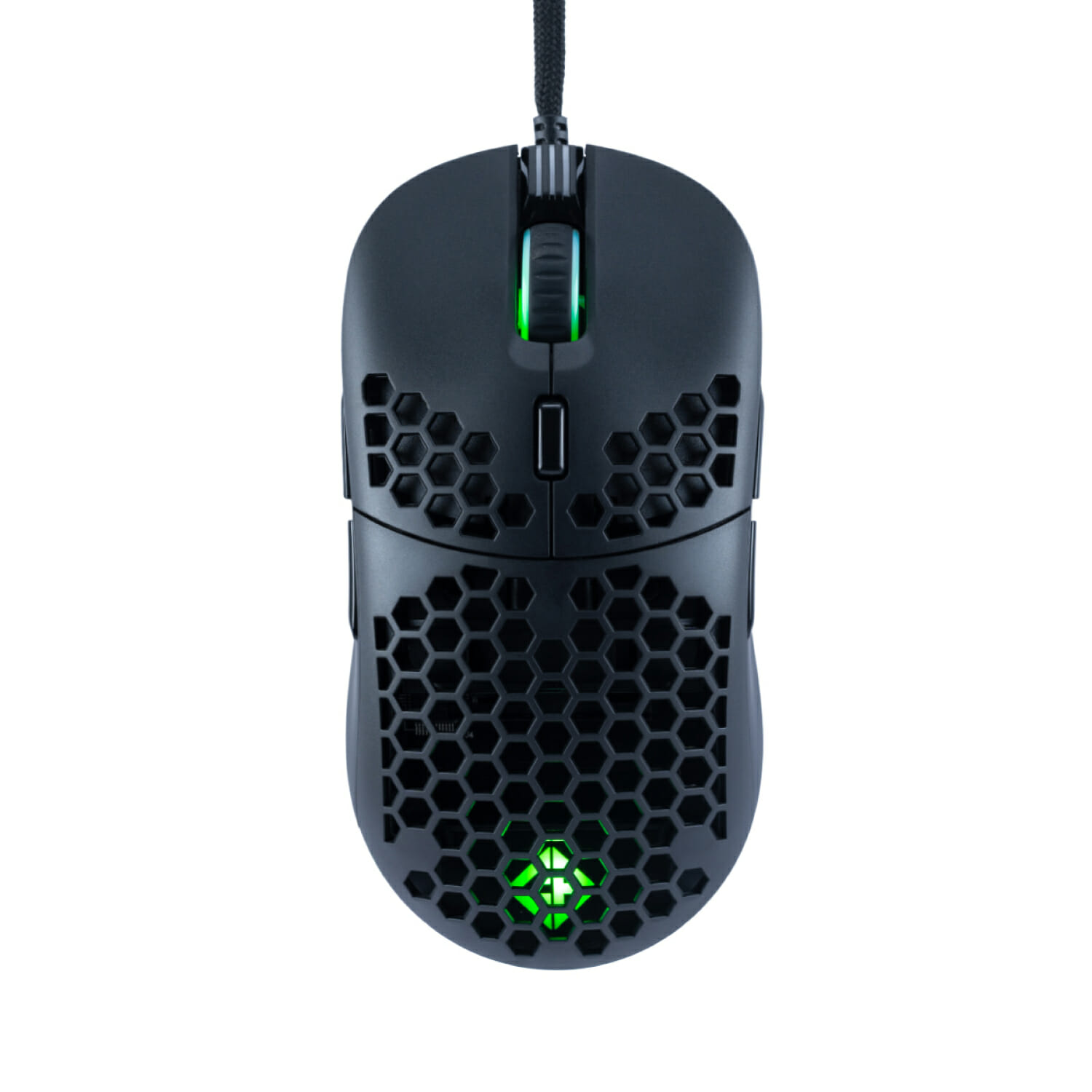
Kreo Chimera V2 Wireless: Best for Tinkerers
Kreo has built its reputation on packing higher-end features into budget mice, and the Chimera V2 is the clearest example of that at this price. It ships with two magnetically-attached shells, solid and perforated, so you can choose between a sealed body or extra ventilation without buying a second mouse. The switches are hot-swappable too, and Kreo includes both a 50-million-click tactile Huano switch and a quieter 10-million-click alternative in the box.
The sensor is a PixArt PAW3311 rated for 12,000 DPI; connectivity covers 2.4GHz, Bluetooth, and wired; and there are 6 programmable buttons through Kreo's web-based configuration tool. Kreo doesn't publish an official weight for this model, so treat any specific gram figure you see elsewhere online as unverified.
One honest caveat: some customer reviews on Kreo's own store mention occasional Bluetooth pairing issues. That's user-reported feedback rather than something REDRAG has independently confirmed, so treat it as anecdotal rather than a guaranteed fault. It's also worth being direct about price: the Chimera V2's street price sits right around the ₹2,000 mark and has been seen listed anywhere from ~₹1,999 to ~₹2,199 depending on the retailer and whether a sale is active. If staying strictly under ₹2,000 is non-negotiable, check the live price before adding it to cart; the Ignis below is the safer bet for a guaranteed sub-₹2,000 wireless option with a similar feature set.

Cosmic Byte Ignis Tri-Mode: Cheapest Reliable Wireless Option
If the Chimera V2's price uncertainty bothers you, the Ignis is essentially a similar pitch at a lower and more consistently sub-₹2,000 price. It uses the same PixArt PAW3311 sensor as the Core M1 and the Chimera V2, the same tri-mode connectivity, a similar 54-gram weight class, and TTC optical switches rated for 100 million clicks. Cosmic Byte lists it at around ₹1,800 on its official store, making it the least expensive way on this list to get genuine wireless connectivity paired with a proper gaming sensor.
What you give up compared to the Chimera V2 is the swappable shell and switch system. This is a fixed-body mouse, so weight and click feel aren't things you can adjust later. For most people who want a light, reliable wireless mouse without needing to tinker, that's a reasonable trade.

Redragon Cobra M711: Best Budget Wired Pick
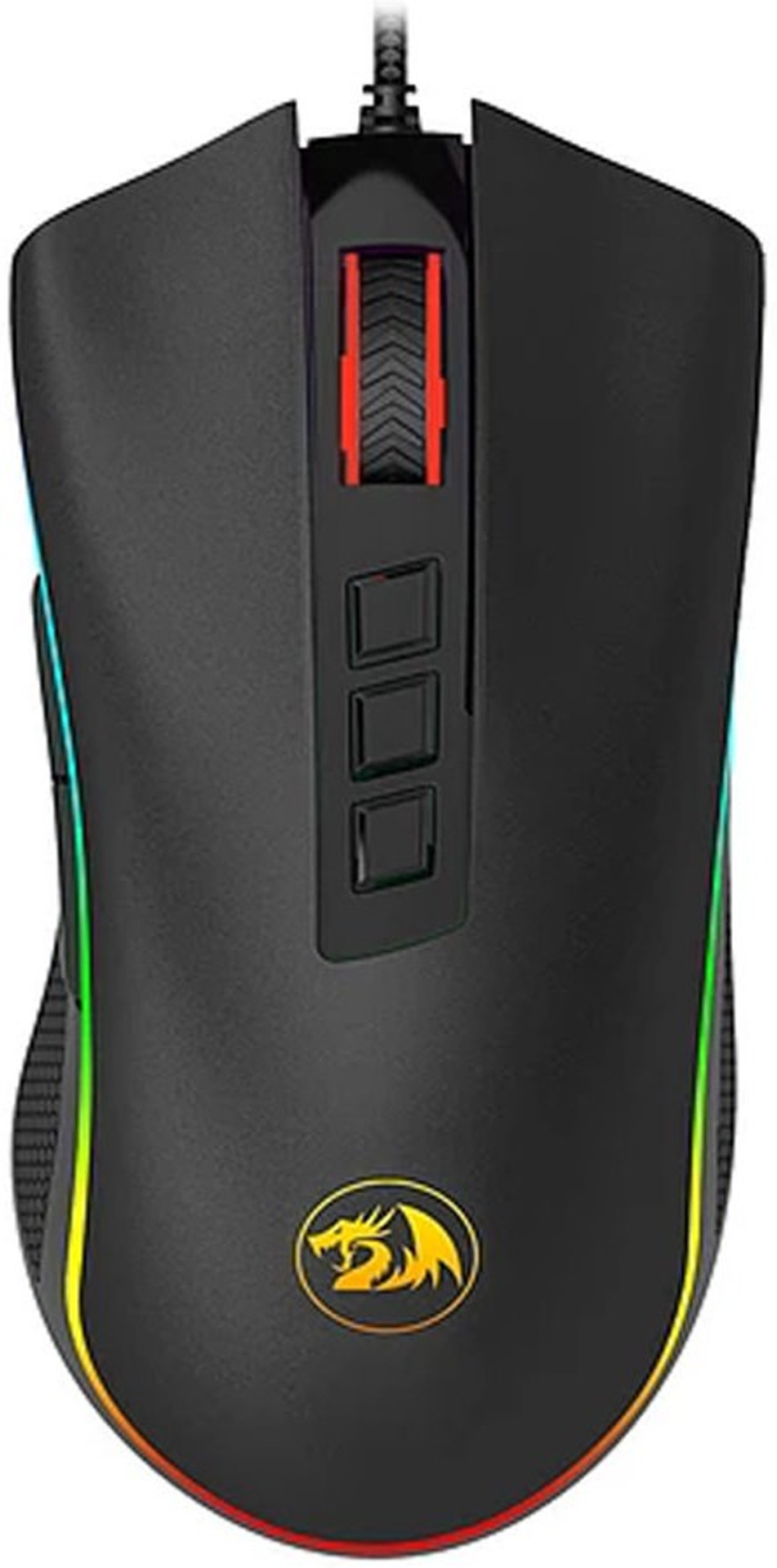
Redragon's Cobra M711 has been sold in India since around 2020 and remains one of the cheapest ways to get a named PixArt sensor rather than a generic unbranded one. It uses the PMW3325, an older sensor than the ones above but still a legitimate gaming-grade part, paired with 7 programmable buttons and onboard DPI memory. Redragon's own India store lists it at ₹1,260, comfortably under budget with room to spare. Polling rate is switchable across 125/250/500/1000Hz on the wired connection.
Some marketplace listings advertise DPI as high as 24,000 through software interpolation, but that number describes what the software can multiply up to, not what the PMW3325 sensor natively resolves. User feedback on Redragon's own product page suggests clean tracking tops out well below that, closer to 3,200 DPI in practice. At 800 DPI or lower, the range most competitive FPS players actually use, it tracks reliably. Weight estimates for this model vary noticeably across retailers, from roughly 100g to a bit over 150g depending on which listing you check, so treat any single exact figure with some skepticism. Either way, it reads as noticeably heavier than the wireless options above. If you play claw or fingertip grip and prize a light mouse, this will feel dense in comparison.
Kreo Harpy: Best Ultra-Budget Lightweight Pick
The Harpy isn't really competing with the other five mice here. At roughly ₹599, less than a third of the budget this guide is built around, it exists to answer a different question: what's the least you can spend and still get a proper lightweight ambidextrous shell instead of a generic office mouse rebadged as "gaming"? At 55 grams with a 1000Hz polling rate and a claimed 12,800 DPI sensor (Instant A825, not a PixArt part), it's light and comfortable for long sessions, even if the sensor itself is a step below the PixArt-based options above. Kreo doesn't publish switch type or click-durability figures for this model, so there's no verified number to compare it against the others on that front.
Treat this as the pick for a second PC, a sibling's first gaming setup, or anyone testing whether a lightweight mouse suits their grip before spending more. It isn't the mouse to reach for if you're chasing every bit of tracking precision for ranked play.

What Else Actually Matters at This Price
Sensor model and native DPI aren't the only things separating a good sub-₹2,000 mouse from a mediocre one. Three other specs are worth paying attention to.
Polling rate. All six mice here support 1000Hz polling on their fastest connection mode, meaning the mouse can report its position to your PC every millisecond. Anything lower and you introduce a small but real delay between your hand moving and the cursor responding. As covered above, that top figure isn't always confirmed for every connection mode on every mouse, so use the wired or 2.4GHz connection rather than Bluetooth when it matters.
Switch type. Optical switches, used in the URX Core M1, the Kilonova 3389IC Pro, and the Ignis, don't suffer from the double-click failure that eventually affects mechanical micro-switches after heavy use. Switch type can meaningfully affect long-term click reliability, though overall mouse lifespan also depends on the encoder, scroll wheel, cable, and how the switch is implemented on the PCB, so it isn't the only factor deciding how long a mouse lasts.
Weight and grip fit. A 54-gram mouse suits claw and fingertip grips well but can feel unstable for a full palm grip. The heavier Cobra M711 is the more natural fit if you rest your whole hand on the mouse. There's no universally "better" weight here, only what matches how you actually hold a mouse.
If you are assembling a full budget setup rather than just replacing a mouse, our gaming headset guide under ₹1,500 covers the audio side of the same budget bracket, and the PC building guide for beginners in India is worth a look if the mouse is one of the last pieces of a new build.
Wired vs Wireless at This Price: Does It Actually Matter for Valorant or CS2?
The old advice that wireless mice always introduce input lag compared to wired ones doesn't hold up well against any mouse using a proper 2.4GHz dongle, including the three tri-mode options in this guide. For most players, a good 2.4GHz gaming mouse has latency low enough that the difference from a wired connection is unlikely to be noticeable during normal competitive play, casual to semi-competitive Indian ranked lobbies included.
Bluetooth is a different story. Bluetooth mode on these mice exists mainly for convenience, saving a USB port or connecting to a laptop without a dongle, and it typically runs at a lower polling rate than 2.4GHz mode even when the brand doesn't publish the exact figure. If you own the URX Core M1, the Chimera V2, or the Ignis, use the 2.4GHz dongle for gaming and save Bluetooth for everyday browsing or work.
If your bigger frustration is actually network lag rather than mouse response, that's a separate problem with a separate fix; our guide to fixing high Jio ping in BGMI and Valorant covers that side of things.
Warning!
At this exact price point, Amazon and Flipkart listings sometimes include third-party sellers pushing visually identical clones with an unbranded sensor swapped in for the real PixArt part. Buy directly from each brand's official store or an authorised listing where the seller name matches the brand, and keep the invoice; it is what makes an India warranty claim go smoothly if a switch or sensor fails early.
Frequently Asked Questions
Is a low DPI like 800 actually enough for Valorant or BGMI Emulator?
Yes, and it lines up with what many competitive FPS players actually use. A large share of competitive Valorant and CS2 players favour a relatively low DPI, commonly somewhere in the 400 to 1,600 range, relying on in-game sensitivity to fine-tune the actual feel rather than cranking the mouse's own DPI setting. A clean-tracking sensor at 800 DPI will outperform a jittery one at 3,200 DPI every time. Every mouse in this guide handles 800 DPI comfortably.
Which sensor is better for FPS games: PMW3325, PAW3311, or PMW3389?
All three are legitimate PixArt gaming sensors and will feel accurate at the DPI ranges most players actually use. The PMW3389 (used in the Cosmic Byte Kilonova 3389IC Pro) is the newest and most capable of the three, with a higher clean-tracking ceiling and better performance across different mouse pad surfaces. The PAW3311 and PMW3325 are older but still perform well below roughly 3,200 DPI, which covers nearly every competitive use case.
Do these mice need software installed, or do they work out of the box?
All six mice work immediately after plugging in or pairing, with default DPI stages accessible through a physical button on the mouse itself. Software from the brand (Kreo's web tool, Cosmic Byte's driver, Redragon's or URX's utility) is only needed if you want to remap buttons, create macros, or set a custom DPI value outside the presets.
Is it worth paying more than ₹2,000 instead?
Above ₹2,000 you start seeing more established global brands, newer PixArt sensors like the PAW3395, and generally better-tested Bluetooth stability. If ₹2,000 is a hard ceiling, though, the sensors in this guide (particularly the PMW3389 and PAW3311) are capable enough that you won't be leaving much meaningful performance on the table for casual to semi-competitive play.
Can I use a gaming mouse under ₹2,000 for both office work and gaming?
Yes, all six mice function as normal mice for everyday use. The wireless and tri-mode options (URX Core M1, Kreo Chimera V2, Cosmic Byte Ignis) are the more practical daily drivers since you're not tied to a cable at a desk, while the wired options (Kilonova 3389IC Pro, Cobra M711, Harpy) work equally well but keep you tethered.
Closing Thoughts
If you only read one section of this guide, make it this: for most people,e the URX Core M1 is the safest pick, combining a real sensor, genuine tri-mode wireless, and optical switches at a price that consistently stays under ₹2,000. If you specifically want the best sensor available and don't mind a cable, the Cosmic Byte Kilonova 3389IC Pro is the stronger technical choice. And if even ₹2,000 feels like a stretch, the Redragon Cobra M711 and Kreo Harpy both prove you don't need the full budget to get a mouse that won't hold your aim back.
