

If you are using a phone under ₹15,000 for BGMI, the right settings are less about making the game look sharp and more about keeping frame delivery consistent. A Smooth plus Extreme combination that runs fine on a Snapdragon 4 Gen 2 phone will not necessarily hold up the same way on a MediaTek Dimensity 6300 phone at a near-identical price, and most generic settings guides do not draw that distinction. This guide does: it walks through four phones currently sold in India in this price range, across two different chip families, and lays out which BGMI graphics and frame rate combination each one can realistically sustain rather than just which options appear in the menu. Throughout this piece, "best" means the combination that keeps frame delivery stable, not the one that looks sharpest in a screenshot, since a consistent 40 FPS during a gunfight beats a 60 FPS target that keeps dipping into the 30s.

Info!
How this was put together: REDRAG does not run an in-house phone testing lab, so nothing here is presented as our own lab benchmark. What follows is compiled and cross-checked from chipset specifications published by Qualcomm, MediaTek, and the phone makers themselves, gaming benchmark data published by review outlets that do run dedicated test labs, and multiple independent gameplay tests on the exact phones covered. Where sources disagreed with each other, that disagreement is called out rather than smoothed into a single confident number. BGMI's own available settings can shift with every update, so treat the tiers described here as accurate for the 4.5-series update live as of September 2026, and check your own settings menu directly if you are reading this later.
Quick settings
If you just want the settings and nothing else, here is the short version. The reasoning behind each row, and why it differs by phone, follows further down.
| Phone | Graphics Quality | Frame Rate | Anti-Aliasing | Shadows |
|---|---|---|---|---|
| Redmi 14C 5G | Smooth | Extreme (60 FPS), drop to Ultra (40 FPS) if unstable | Off | Off |
| POCO M7 5G | Smooth | Extreme (60 FPS), drop to Ultra (40 FPS) if unstable | Off | Off |
| Realme Narzo N65 5G | Smooth | Ultra (40 FPS) | Off | Off |
| POCO M7 Pro 5G | Smooth or Balanced, whichever your unit shows as stable | Ultra or High; check your own settings menu | Off | Off |
Why BGMI Settings Matter More on a ₹15,000 Phone
On a flagship, picking the wrong BGMI setting mostly costs you a little battery. On a phone in this price bracket, it can be the difference between a smooth, playable match and one where your screen freezes for half a second right as an enemy peeks. Budget chipsets in 2026 do not lack raw horsepower for BGMI entirely; most can technically render the game, but they have very little thermal headroom. Push the graphics quality one notch too high and the chip throttles within minutes, which then drags your frame rate down further than if you had just picked a lower setting to begin with.
That is also why the answer is not the same for every phone in this price band. A Snapdragon 4 Gen 2 device and a MediaTek Dimensity 6300 device sitting at nearly identical prices behave differently in BGMI because their GPUs are built differently. Treating them the same way, which is what most generic settings guides do, is exactly why those guides do not actually help.
Understanding BGMI's Two Settings Sliders
BGMI splits its visual settings into two independent sliders, and mixing them up is the most common reason people think their settings are "wrong" when the real issue is which combination they picked. The exact tiers available can vary slightly by BGMI version and by device, so treat the ladder below as the current 4.5-series structure rather than a permanent fixture.

Graphics Quality controls how detailed the world looks: texture resolution, shadow rendering, and lighting effects. From lowest to highest, the tiers are Smooth, Balanced, HD, HDR, and Ultra HD. Higher tiers look sharper but put considerably more load on the GPU.
Frame Rate controls how many frames per second the game targets, independent of how detailed those frames are. The tiers run Low, Medium, High, Ultra (40 FPS), Extreme (60 FPS), Extreme+ (90 FPS), and on a small list of flagship-tier chipsets, Ultra Extreme (120 FPS).
The part that trips people up on budget phones specifically: BGMI does not show every combination on every device. The game only offers certain frame-rate tiers on device configurations Krafton has certified. That certification is usually tied to the chipset. Still, it can also depend on the exact software build, so two phones with near-identical hardware can show different options after an update. If Extreme+ does not appear in your menu no matter what you try, it is not a bug; your device simply is not on that certified list yet. Based on the gameplay tests we reviewed, none of the four phones covered here currently show Extreme+ in their settings menu, though this is worth checking directly on your own unit rather than assuming it is permanent, since the certified list changes with updates.
The Phones We Are Comparing
All four are currently sold in India for ₹15,000 or less, cover two different chipset families from Xiaomi's POCO and Redmi brands plus Realme, and represent what most buyers in this bracket are actually choosing between right now.

| Phone | Price* | Chipset | GPU | Display | Battery |
|---|---|---|---|---|---|
| Redmi 14C 5G (6GB/128GB) | ~₹10,900 to ₹12,000 | Snapdragon 4 Gen 2 | Adreno 613 | 6.88" HD+ LCD, 120Hz | 5,160mAh, 18W |
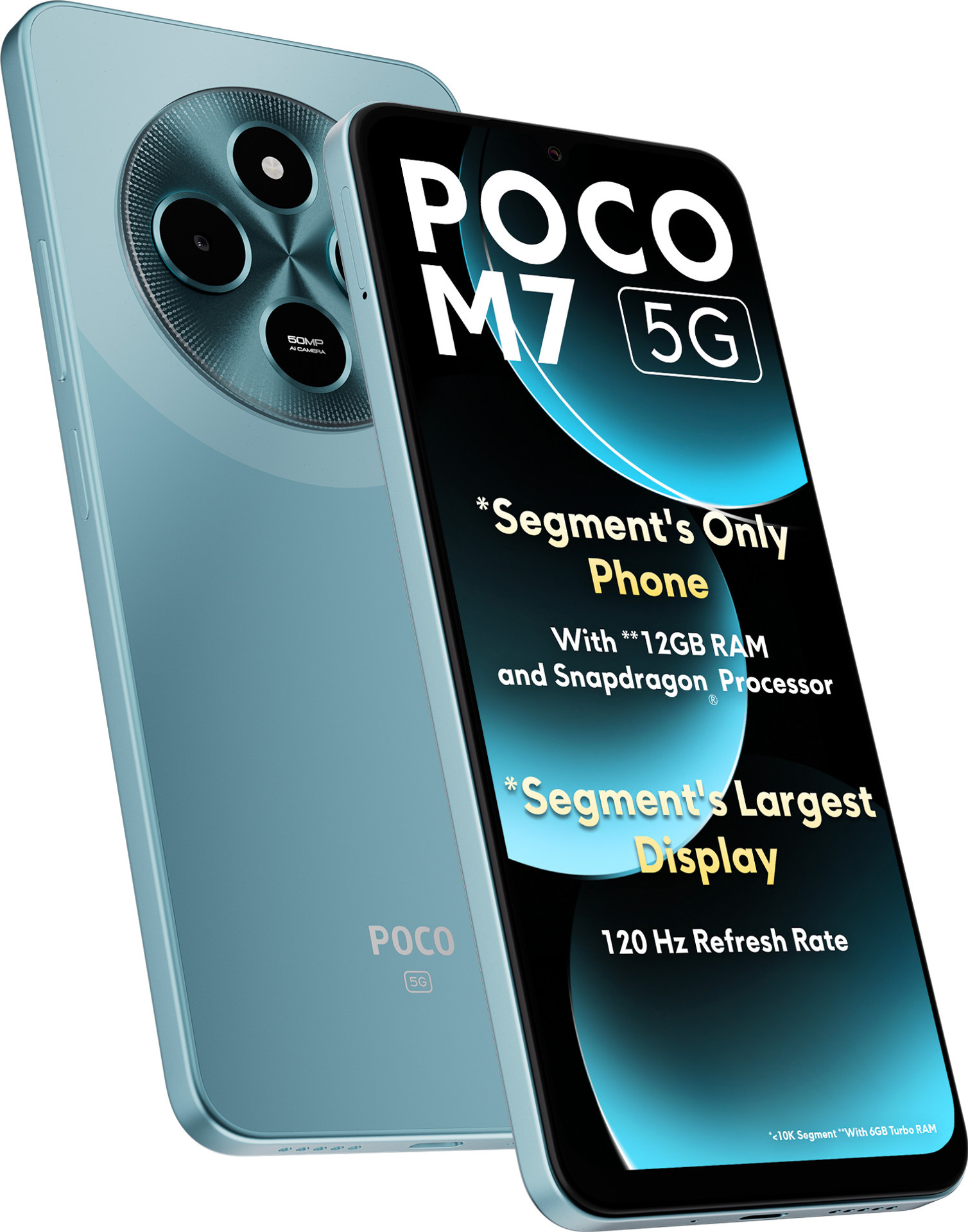
| POCO M7 5G (6GB/128GB) | ~₹12,499 | Snapdragon 4 Gen 2 | Adreno 613 | 6.88" HD+ LCD, 120Hz | 5,160mAh, 18W |
| Realme Narzo N65 5G (6GB/128GB) | ~₹12,499 | Dimensity 6300 | Mali-G57 MC2 | 6.67" HD+ LCD, 120Hz, IP54 | 5,000mAh, 15W |
| POCO M7 Pro 5G (6GB/128GB) | ~₹14,999 | Dimensity 7025 Ultra | IMG BXM-8-256 | 6.67" AMOLED, 120Hz | 5,110mAh, 45W |
*Prices checked across Flipkart, Amazon, and brand listings in September 2026 and will move with bank offers and festival sales, so treat these as a snapshot rather than a fixed number.
Two things stand out before we even open BGMI. First, the Redmi 14C 5G and POCO M7 5G are effectively the same phone with different branding: identical chipset, identical GPU, nearly identical screen and battery. If you already own one, everything said about the other applies to you too. Second, the POCO M7 Pro 5G is not really in the same tier as the other three despite sitting under the same ₹15,000 ceiling. Its Dimensity 7025 Ultra pairs with an IMG BXM-8-256 GPU from Imagination Technologies, a different lineage from the Adreno and Mali GPUs in the other three phones, and independent benchmark reviews describe it as a meaningfully stronger chip, which is why it gets its own breakdown below.
Best BGMI Settings by Phone
Redmi 14C 5G and POCO M7 5G
Both phones run on the same Snapdragon 4 Gen 2 with an Adreno 613 GPU, so the settings advice is identical. The Redmi 14C scored around 438,871 points, roughly in line with what you would expect from this chip tier and meaningfully behind phones built around stronger GPUs even at similar prices.
In BGMI's current settings menu, this chipset typically unlocks Smooth graphics with up to an Extreme (60 FPS) frame rate. Gameplay footage from multiple independent tests on the Redmi 14C shows this combination is achievable, but not always sustained: during heavy fights with several players, smoke grenades, and vehicle effects on screen at once, frame times get noticeably less consistent, even if the on-screen counter still reads close to 60.

Based on the chipset's known limits and the independent gameplay tests we reviewed, the practical starting point for daily play on either phone is:
- Graphics Quality: Smooth
- Frame Rate: Extreme (60 FPS) if it stays stable in your matches; otherwise, drop to Ultra (40 FPS)
- Style: Colorful, since it makes enemy models stand out against foliage more than Classic does
- Anti-Aliasing: Off
- Shadows: Off
- Graphic Style effects like Bloom and HDR toggles inside advanced settings: leave off
A locked 40 FPS on Ultra will almost always feel smoother in practice than a 60 FPS target that keeps dipping into the 30s during fights, since inconsistent frame timing is what actually causes the "sticky" aim feeling players complain about, not the raw number on the counter. If you are still seeing drops even on Ultra, that usually points to background apps or storage clutter rather than the graphics settings themselves, and this breakdown of fixing BGMI lag on low-end phones without buying a new one covers those steps in more detail.
Realme Narzo N65 5G
The Dimensity 6300's Mali-G57 MC2 is a different story, and a weaker one for gaming specifically. It is a two-core GPU, and in synthetic 3DMark Wild Life testing,g it managed an average of only around 8 frames per second, a result review outlet Beebom describes as leaving the chip suitable for "casual and optimised titles like CoD: Mobile and BGMI" at playable frame rates on low settings, rather than anything demanding. That is a notably more conservative picture than the Snapdragon 4 Gen 2 phones above, despite the Narzo N65 selling at almost the same price.

gaming test data (a general gaming benchmark rather than one specific to BGMI, so treat this as directional) recorded a 6 percent battery drop and roughly 15 percent temperature rise after 30 minutes of continuous gaming on the Narzo N65, which was actually one of the better results among phones in its immediate price group. So while the GPU itself is the limiting factor, the phone is not mismanaging the heat it does generate.
Given the weaker GPU, the practical starting point here is different from the Snapdragon 4 Gen 2 phones above, since chasing Extreme (60 FPS) on this chip is more likely to produce stutter than a consistently smooth experience:
- Graphics Quality: Smooth
- Frame Rate: Ultra (40 FPS), rather than pushing for Extreme
- Style: Colorful
- Anti-Aliasing: Off
- Shadows: Off
If BGMI does offer Extreme on your specific unit after a software update and it holds up across a full match without drops, there is nothing wrong with using it. But do not be surprised if the certified list keeps this chip capped at Ultra for now. The Dimensity 6300 is fundamentally a battery-efficient, everyday-use chip that happens to run games, not the other way around.
POCO M7 Pro 5G: Is the Extra Money Worth It?
At roughly ₹14,999, the POCO M7 Pro 5G costs about ₹2,500 more than the Narzo N65 or POCO M7, and the Dimensity 7025 Ultra with its IMG BXM-8-256 GPU is a meaningful step up on paper rather than a marketing relabel. It pairs with an AMOLED display instead of an LCD panel, which also makes colours and contrast noticeably better for spotting enemies in shadowed areas.
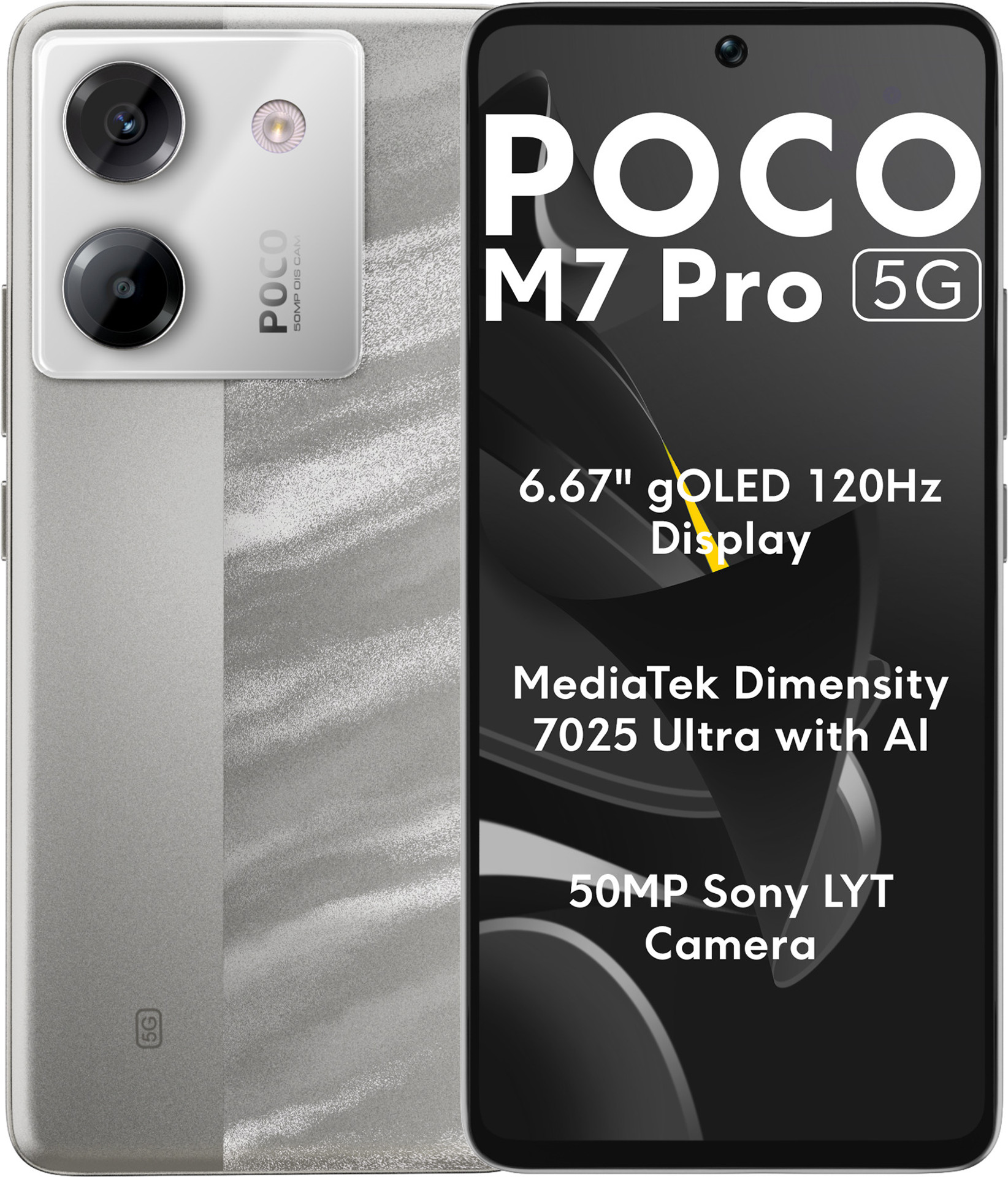
Independent gameplay tests describe the phone running BGMI at settings ranging from Smooth with Ultra frame rate up to Balanced with High frame rate, depending on the specific test and software version, with one 30-minute gaming test recording rear-panel temperatures in the roughly 39 to 42 degree Celsius range and gradual rather than sudden throttling. GSMArena's own benchmark review of the phone notes that its Dimensity 7025 Ultra is a real step up from the previous generation Poco model, but it still "drags behind similarly priced competitors" in raw Geekbench scores, so treat this phone as meaningfully better than the other three here rather than as the fastest option in its exact price bracket. Given that range, a reasonable starting point is:
- Graphics Quality: Smooth, moving up to Balanced only if it stays stable across a full match
- Frame Rate: Ultra (40 FPS), moving up to High if your unit shows it as stable
- Anti-Aliasing: Off
- Shadows: Off
If your budget can stretch to ₹14,999 and BGMI is the primary reason you are buying a phone, the POCO M7 Pro 5G is the more future-proof pick of the four. If ₹12,500 is your hard ceiling, the Redmi 14C 5G and POCO M7 5G are close enough in real-world performance that the decision comes down to which one is cheaper on the day you are buying, since they are, for gaming purposes, the same phone.
What to Expect After 30 Minutes of BGMI
Warning!
Every phone in this list will get warm during an extended BGMI session. That is expected behaviour, not a defect, but the degree matters for whether your aim stays steady in late-game fights.

Independent tests across these devices point to a familiar curve, though exact numbers vary with room temperature, brightness, network conditions, and the specific BGMI build in use, so treat the pattern as directional rather than a guaranteed timeline for your own unit. The first ten to fifteen minutes typically run at whatever the chip's peak clock speed allows, with frame rate and graphics staying close to whatever was selected. Past that point, sustained load causes the chipset to throttle down to protect itself from overheating, and this is where the difference between choosing a stable lower setting and chasing an unstable higher one becomes obvious. A phone locked to a 40 FPS target it can actually sustain will generally feel more consistent at the 25-minute mark than one that started at 60 FPS but has been throttling down to the low 30s for the last ten minutes.
Practical steps that make a bigger difference than any single graphics toggle:
- Remove your phone's case during long sessions, since most budget cases trap heat against the back panel where the chip sits.
- Close background apps before launching BGMI rather than relying on the phone to manage memory while the game is running.
- Play in short-to-medium sessions rather than marathon queues if you notice heating consistently by the 20-minute mark.
- Keep the phone's own display brightness at a level you can see comfortably rather than maxed out, since the display is a meaningful part of total power draw during gaming.
Settings Beyond Graphics That Affect How Smooth BGMI Feels
Graphics and frame rate get most of the attention, but two other factors matter just as much on a budget phone, and they cost nothing to fix.
Touch sensitivity and control layout determine how well you can actually use whatever frame rate you land on. A phone running a stable 40 FPS with well-tuned sensitivity will feel more responsive than one running 60 FPS with default settings that were never adjusted for the phone's screen size. This practical guide to BGMI controller and touch settings for beginners walks through getting that dialled in, and if you play claw grip specifically, this claw setup guide covering sensitivity and finger layouts is worth a look too.
Network conditions can also mimic what looks like a graphics problem. Occasional stutter that seems random rather than tied to intense scenes is often ping spikes rather than frame drops, particularly on Jio and Airtel networks in certain areas. This breakdown of fixing high ping in BGMI and Valorant covers the router and network-level fixes that a graphics setting alone cannot solve.
It is also worth checking which BGMI update you are on before assuming your settings are the problem. Recent updates in the 4.5 series have added new modes and visual themes that can shift what a given chipset can comfortably handle compared to a few months earlier. This look at how the 4.5 update performs on budget ₹10,000 to ₹15,000 phones covers whether the newer content adds meaningful extra load on these exact chipsets.
Frequently Asked Questions
Why does BGMI not show the Extreme+ or 120 FPS option on my phone?
BGMI only offers certain frame-rate tiers on device configurations Krafton has certified, and that is usually tied to the chipset but can also depend on the exact software build, regardless of your display's refresh rate. Based on the gameplay tests we reviewed, none of the four phones in this guide currently show Extreme+ (90 FPS) or Ultra Extreme (120 FPS) in their settings menu, since that tier is generally reserved for chipsets a full step or more above the Snapdragon 4 Gen 2, Dimensity 6300, and even the Dimensity 7025 Ultra. This can change with future updates, so check your own settings menu directly rather than assuming it is permanent.
Should I use Balanced graphics instead of Smooth for a better look?
On the Redmi 14C, POCO M7, and Narzo N65, we would not recommend it. Balanced adds shadow detail and slightly sharper textures, but it demands noticeably more from the GPU, and on these three chipsets that usually means trading frame rate stability for a visual upgrade you will barely notice mid-fight. The POCO M7 Pro 5G's stronger Dimensity 7025 Ultra can handle Balanced more comfortably, which is one of the reasons it costs more.
Will playing on Smooth graphics get me reported or banned for using low settings?
No. Graphics Quality and Frame Rate are official, built-in settings inside BGMI's own menu, available to every player on every device. There is no penalty, competitive or otherwise, for using Smooth graphics. Plenty of players use Smooth by choice on much stronger phones than the ones in this guide, since it removes visual clutter and keeps frame rate more consistent.
Is the POCO M7 5G or Redmi 14C 5G better specifically for BGMI?
For BGMI specifically, there is no meaningful difference. Both run the identical Snapdragon 4 Gen 2 chipset with an Adreno 613 GPU, nearly identical display size and resolution, and very similar battery capacity. The choice between them should come down to price on the day you buy, storage variant availability, and which brand's software you personally prefer, not gaming performance.
What is the single most effective change if my budget phone still lags in BGMI?
Before touching graphics settings further, close every background app and restart the game fresh. On phones with 6GB of RAM or less running a full custom skin like HyperOS or Realme UI, background processes eat into the memory BGMI needs far more than most players expect. If lag persists after that, dropping one Frame Rate tier (from Extreme to Ultra, for example) usually helps more than any single graphics toggle.
Closing Thoughts
None of the four phones in this guide are built as dedicated gaming phones, and none of them will run BGMI at the frame rates a ₹25,000-plus phone can. But within their price bracket, the difference between a smooth, playable session and a frustrating one usually comes down to picking settings that match what the chipset can actually sustain rather than what looks best in a screenshot. For the Redmi 14C 5G and POCO M7 5G, that means Smooth graphics with Extreme or Ultra frame rate depending on stability in your specific matches. For the Narzo N65, it means accepting Ultra as the realistic ceiling rather than fighting the GPU for Extreme. And if ₹14,999 is within reach, the POCO M7 Pro 5G buys real headroom the other three simply do not have.
