

First things first, when constructing a gaming computer in India today, be cautious due to current fluctuations in graphics processing unit (GPU) cost; as a result of this, sourcing a quality Graphics Card (GPU) with the capability of delivering playable frame rates on modern AAA games at 1080p under ₹20,000 may seem difficult.
Also, if you've just purchased a budget Central Processing Unit (CPU) like the Ryzen 5 5600 or i5-12400F, you probably want adequate GPU performance with that CPU without overspending on your bank account. However, even with this in mind, there is still a chance to build a great 1080p gaming PC within this budget!

Having researched current benchmark data on the Indian market, three options stand out among those GPUs below ₹20,000; let’s review them more closely to see which GPU fits best for you!
Budget GPU Under ₹20,000 For 1080p Gaming: Quick Answer:
If you are short on time to read the full details of this page and would like a quick answer, the AMD Radeon RX 6600 will currently give you the best performance for under ₹20,000 in India. It provides the best FPS (frames per second) performance, has 88 GB of VRAM (video random access memory), and is very energy efficient.
On the other hand, if you find yourself using a very old power supply (PSU) or need to use Nvidia technologies such as DLSS and NVENC streaming encoder, then you might want to consider the backup option, which would be to use an RTX 3050 6Gig.
To get more information about the AMD Radeon RX 6600 and RTX 3050 6Gig. I will now show you the possible reasons for and against choosing the 3rd card, the Intel Arc A750.
In 2026, what can you actually expect from a ₹20,000 GPU?
The majority of reviewers on YouTube are testing GPUs in systems that are worth ₹1,00,000. They often put the best CPU into these systems, and you have an unrealistic perception of how well those graphics cards perform. Let’s look at the actual performance of a ₹20,000 graphics card.
For example, if we take a basic budget CPU like a Ryzen 5 5600 or an Intel i5-12400F, along with 16GB of dual-channel RAM, you'll find that a ₹20,000 graphics card will easily enable you to play esports games, like Valorant, CS2, and Apex Legends, at frame rates between 144 and 300 FPS.
For AAA heavy graphics games, like Cyberpunk 207,r Hogwarts Legacy, or Red Dead Redemption 2, at a 1080P resolution and medium/high settings, these cards should allow you to play virtually without any issues at 60-75 FPS. You will be unable to play 4K with these cards, and the vast majority of games will not support ray tracing, but if you're looking for a pure 1080P gaming experience, you should have no problem.
The Top Contenders for 1080p Gaming
Let us break down the three cards fighting for the top spot in your cabinet.
1. AMD Radeon RX 6600: The undisputed value king
The RX 6600 is an excellent value card right now; ask any experienced PC builder, and they will point you to this GPU as the best value card around. The RX 6600 uses AMD's RDNA 2 graphics architecture and offers 8GB of GDDR6 VRAM.


- VRAM: 8GB GDDR6
- Memory Bus: 128-bit
- TDP: 132W
Real-world performance
The RX 6600 beats the RTX 3050 by a good 15-20% in pure gaming performance (no upscaling tricks). The 8GB of VRAM will also be a huge asset as we get closer to 2026 and more current games that have been poorly optimized and use a lot of VRAM will come out. You won't run into any sudden stutter or texture pop-in issues with the RX 6600 while playing games like The Last of Us Part 1.
Cons
The major downside of the RX 6600 is that it doesn't have DLSS support. AMD's FSR (FidelityFX Super Resolution) works but does not look as sharp or clear as Nvidia's DLSS. Additionally, do not even think about turning on ray tracing. The performance hit is simply unplayable.
Price in India: The RX 6600 can usually be found for between ₹ 19,000 and ₹ 21,000, depending on the brand (Asus, Gigabyte, Sapphire) and availability.
2. Nvidia GeForce RTX 3050 6GB: The Feature-Rich Compromise
The Nvidia GeForce RTX 3050 6GB is a great alternative for those looking for a mid-range video card that will allow them to experience high-quality gaming graphics, and it does so at an affordable price point.


- VRAM: 8GB GDDR6
- Memory Bus: 96-bit
- TDP: 70W
Real World Performance
In comparison to the AMD RX 6600, the Nvidia RTX 3050 finds itself at the lower end of its performance spectrum for gaming. That being said, with the use of Nvidia's proprietary technologies such as DLSS and NVENC, the RTX 3050 can provide an increasing number of frames per second that are on par with or exceed those of the RX 6600 in games that support DLSS. In addition, if you intend to stream your gaming experience to YouTube via OBS (Open Broadcaster Software), the use of the NVENC encoder to encode the stream is infinitely superior to that of AMD's encoders since it doesn't require the additional strain on your CPU to encode the stream. The RTX 3050 doesn't draw a lot of power, as it only requires a maximum of 70W, so you can run it on almost any generic 450W power supply.
Downsides
The 6GB VRAM limit is a ticking time bomb because many poorly optimized AAA games have a potential maximum limit that will be reached if you utilize ultra-settings for textures. When that limit is reached, it causes a massive drop in performance because the game is attempting to use VRAM to store data. Therefore, you will need to manually adjust texture settings down to either medium or high for those game titles.
Price in India: Typically, the price of the Nvidia GeForce RTX 3050 is somewhere between ₹17,500 and ₹18,500, making it the cheapest of the three options.
3. Intel Arc A750: A Wildcard with Huge Risks but Potentially Huge Returns.
Intel is working very hard to take market share, and the A750 has specifications that neither AMD nor Nvidia can match at this price.
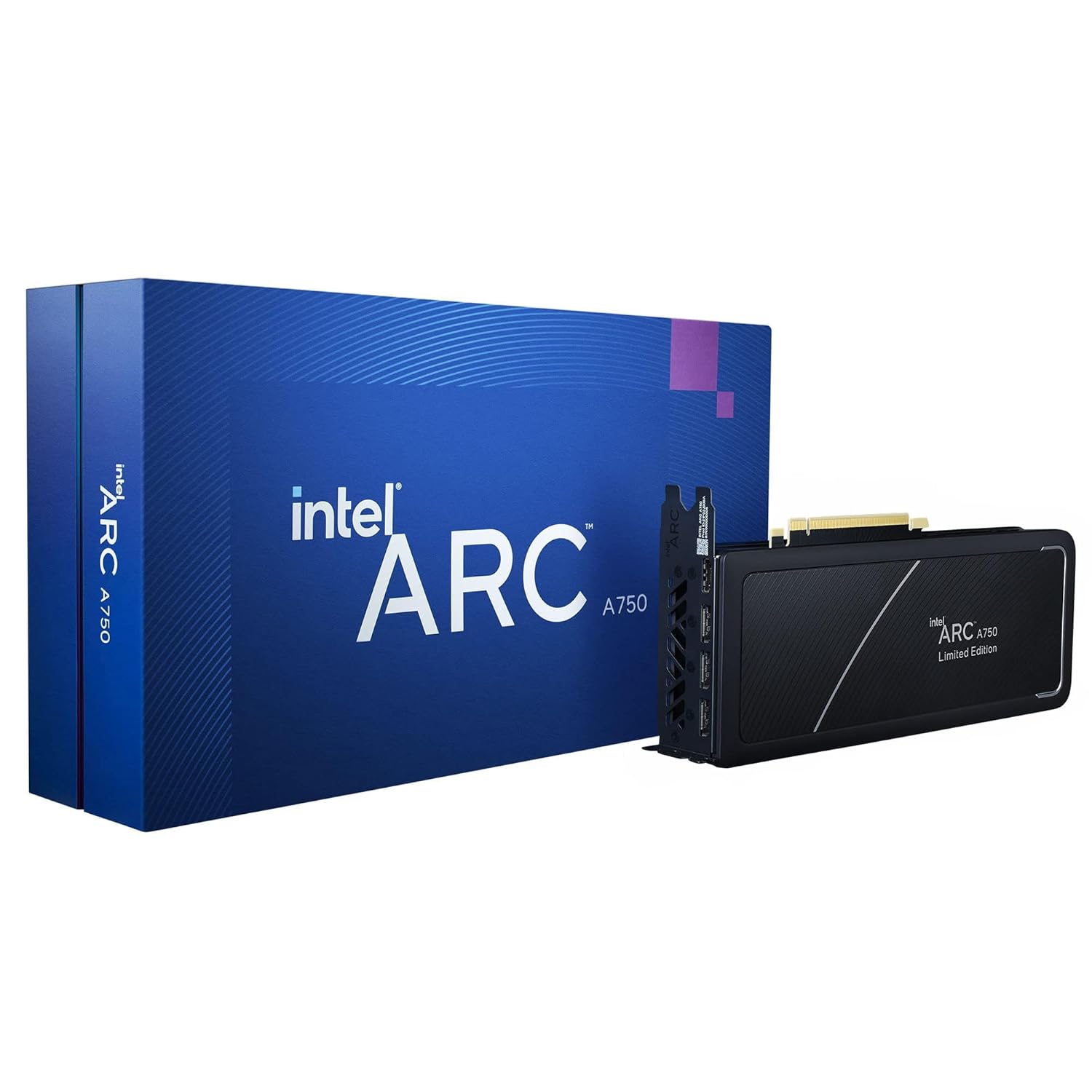

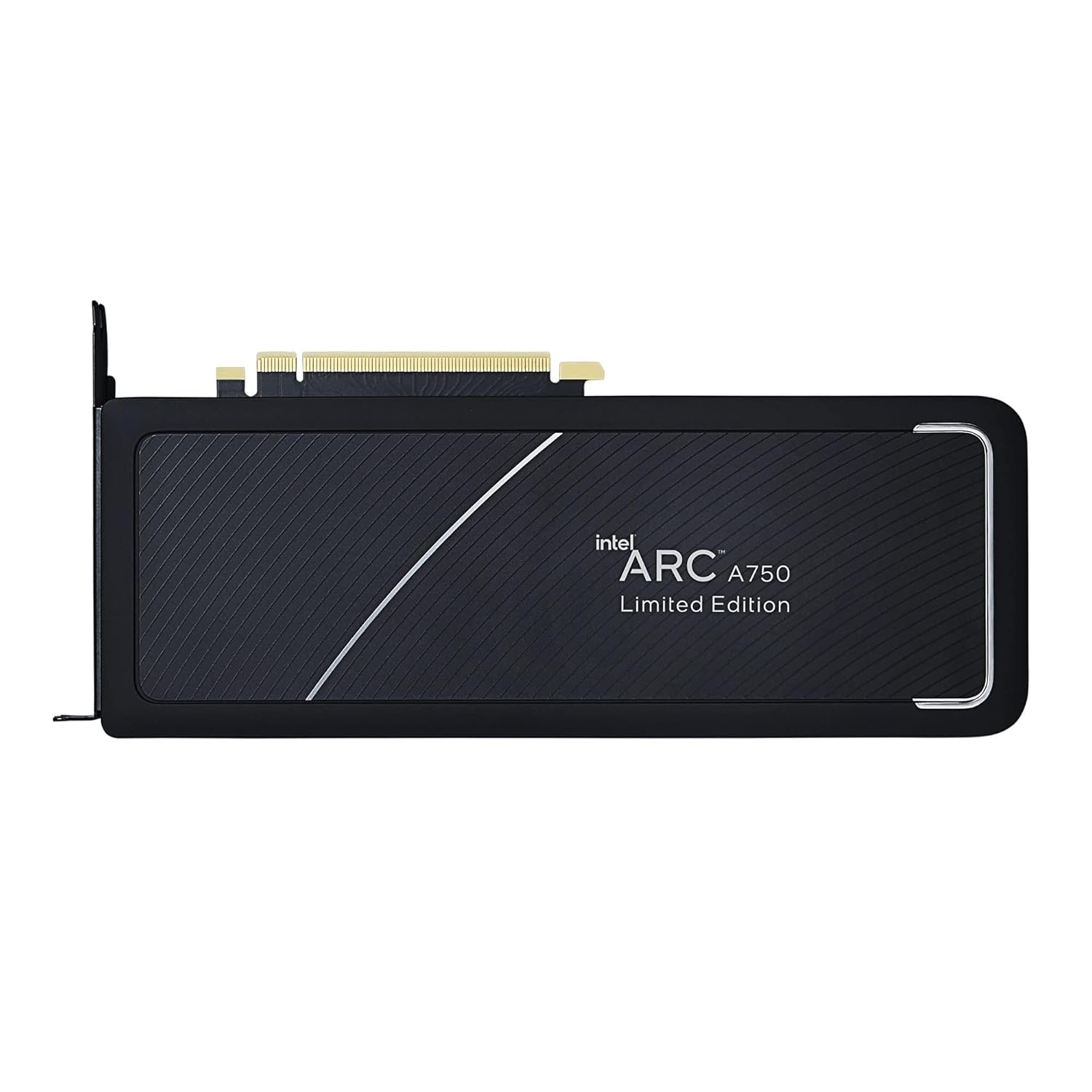
- VRAM: 8GB GDDR6
- Memory Bus: 256-bit
- TDP: 225W
Real-World Performance
While the A750 is more comparable to a 3060, it has a lot more features under its hood. The card comes with 8GB of VRAM, and it also has a massive 256-bit bus. With the new drivers that they have been putting out, the A750 shows pretty solid performance in modern, relevant titles such as Cyberpunk 2077. It even outperforms the RX6600. Not only that, but the A750 supports AV1 encoding as well as Intel's XeSS upscaler, and surprisingly good results have been seen with XeSS.
Issues
This card will not cut it as a plug-and-play video card for a noob. There are a couple of dollars and a couple of things that you need to know or do: The A750 requires a MASSIVE 225W, so unless you have a 650W+ Gold-rated power supply, your computer will randomly shut off due to power issues. Additionally, you must have the Resizable Bar enabled in the BIOS of your motherboard. If your motherboard does not support this feature, then the performance of the A750 will be cut in half.
Price in India: Around ₹18,000 to ₹19,000 (£200) in India. However, you may want to budget for the additional expense of a new power supply if your current one is inadequate.
Head-to-Head Comparison
Here is a quick comparison to help you visualize the differences.
| Feature | AMD RX 6600 | Nvidia RTX 3050 6GB | Intel Arc A750 |
|---|---|---|---|
| VRAM | 8 GB | 6 GB | 8 GB |
| Memory Bus | 128-bit | 96-bit | 256-bit |
| TDP (Power) | 132W | 70W | 225W |
| Upscaling Tech | FSR | DLSS | XeSS |
| Raw 1080p Performance | Best | Lowest | Very Good |
| Min. PSU Required | 500W | 450W | 650W |
| Best For | Pure Gamers | Streamers | Tech Enthusiasts |
1080p Gaming Performance Comparison
To make your decision easier, here is a clean comparison table showing how these cards actually perform when paired with a Ryzen 5 5600 and 16GB RAM at 1080p resolution.
The Hidden Traps Nobody Talks About
Most articles will just tell you to buy the card and be done with it. But as someone building a PC in India, you need to watch out for two major bottlenecks.
Power Supply Trap (PSU):
Many newbs get tripped up here. If you're going for the Intel Arc A750, you will need a reliable 650W PSU that uses an 8-pin PCIe connector (most modern GPUs will use either of these two). On the other hand, if you have an old generic 450W PSU that came with your previous office computer, don't expect the A750 to work properly without causing your PC to shut down completely when put under heavy use! In that case, the RTX 3050 6GB comes into play as the absolute best solution if your power supply is weak because it pulls the full amount of wattage required to function directly off of the motherboard instead!
Check Your Motherboard's BIOS (Intel users only):
Open your BIOS and look for two settings, "Above 4G Decoding" & "Resizable BAR Support", that must be enabled if you choose the Intel Arc A750 card. If they are not available on motherboards manufactured before 2019, then do not purchase the Intel card because it will not perform well; it will be half of its rated performance.
Physical Dimensions
The majority of RX 6600 cards aredual-slott and low-profile. However, some of the older RTX 3050 8GB and new Intel A750 graphics cards might use thicker than standard three-slot designs. To ensure the new graphics card fits properly when delivered, measure cabinet clearance before making your online purchase. You do not want to wait three days for delivery and find out the new graphics card does not fit into your existing cabinet.
Final Purchase Advice
There are several things to think about while picking a graphics card to use for building a great 1080p gaming rig that is less than twenty thousand rupees; however, it can still be accomplished.
If I were going to put a PC together at this time, my first choice would be an AMD Radeon RX 6600 because it offers the most reliable and easy-to-use gaming experience. With 8GB of VRAM, you will feel secure when buying games that come out in the future without having to worry about how much power your system may require.
I would only recommend the RTX 3050 with 6GB of VRAM if you want to focus heavily on game streaming or if you are upgrading an old pre-owned PC with a bad power supply. The Intel Arc A750 is a wonderful piece of equipment, but only buy if you are a major technology enthusiast who knows how to use BIOS and has access to adequate power.
Regardless of what you decide, ensure you have at least one set of 16GB of Dual Channel RAM so that your PC will not have slowdowns.
Frequently Asked Questions
Is the RX 6600 still good in 2026?
Yes, absolutely. For 1080p gaming, the RX 6600 remains one of the best value-for-money graphics cards on the market. It handles modern AAA games at high settings comfortably and destroys esports titles.
Can the RTX 3050 6GB run GTA 6 when it releases?
While GTA 6 is not officially out on PC yet, the RTX 3050 6GB should be able to run it at 1080p medium settings hovering around 40 to 50 FPS. Turning on DLSS will likely boost that to a smooth 60 FPS.
Is it safe to buy a used GPU under 20000 in India?
It is a gamble. You might find a used RTX 2060 or RTX 3060 in this budget, but many of these cards were used for crypto mining. If you buy used, always buy from a trusted friend or a local shop that offers at least a 3-month testing warranty. Avoid OLX or Facebook Marketplace deals from strangers.
Do I need to upgrade my power supply for these GPUs?
If you are buying the RX 6600 or RTX 3050, a decent 500W power supply is more than enough. If you are buying the Intel Arc A750, you strictly need a 650W power supply.
